best AI journaling apps for busy people
6 Best AI Journaling Apps for Busy People
Compare low-friction AI journaling apps for busy people across voice capture, chat, summaries, reminders, weekly reviews and practical privacy controls.
Methodology: Analysis based on official product documentation and public feature descriptions listed in the sources, reviewed on 2026-10-30.
Original contribution: A time-cost comparison focused on capture speed, missed-day recovery, summaries, reminders, and sustainable review habits.

In this guide
- Quick answer
- What makes an AI journal good for busy people?
- 1. Time to start
- 2. Voice support
- 3. Conversational capture
- 4. Automatic synthesis
- 5. Low penalty for missing days
- 6. Memory
- 7. Useful output per minute
- 1. Rosebud: best overall AI journal for busy people
- Why Rosebud works when you have five minutes
- Rosebud can connect older context automatically
- Voice is a major advantage
- Weekly reports remove the second layer of work
- Small captures compound
- Rosebud is strongest when you want interaction
- Where Rosebud is weaker
- 2. Day One: best for ultra-fast daily capture
- Daily Chat was explicitly designed for low-energy days
- Chat Mode vs Log Mode is excellent product design
Related reading: memory vs history · apps with recall · long-term assistants · memory controls.
The best AI journal for a busy person should reduce the work of reflection, not create another daily system to maintain. Source: Rosebud.
You want to journal.
You also have:
- work,
- messages,
- errands,
- deadlines,
- family,
- a phone with 47 notifications,
- and approximately zero enthusiasm for writing three thoughtful pages before bed.
This is where journaling advice often becomes unrealistic.
It says:
“Just make it a habit.”
Excellent.
Human beings have once again been informed that consistency is useful.
The harder question is:
How do you make reflection fit into a life that is already full?
That is where AI journaling can actually help.
A good AI journal for busy people should make it easier to:
- start quickly,
- speak instead of type,
- answer one useful question instead of stare at a blank page,
- capture a thought in under a minute,
- summarize longer entries automatically,
- connect older context,
- create weekly reviews without extra writing,
- return after missing several days without guilt.
The wrong app does the opposite.
It gives you:
- 14 templates,
- seven metrics,
- a streak,
- mood tags,
- daily exercises,
- AI insights,
- habit dashboards,
- morning routines,
- evening routines.
Congratulations.
Your journal is now another project.
This guide ranks AI journaling apps specifically for people who do not have unlimited time or attention.
The central question is:
Which app gives you the most useful reflection for the least ongoing effort?
Quick answer
| App | Best for busy people | Why it works |
|---|---|---|
| Rosebud | Best overall | Conversational journaling + voice + long-term context + weekly reports |
| Day One | Best for ultra-fast daily capture | Daily Chat + Log Mode + automatic entry generation + Moments |
| Reflection | Best for automatic weekly/monthly reflection | Voice journaling + AI coach + automatic reviews + quick capture |
| Journey | Best for journaling from wherever you already are | WhatsApp capture + voice + Odyssey AI + cross-platform journal |
| Mindsera | Best for busy power users who want deeper analysis | Voice + Call Mode + weekly review + automatic summaries + Story View |
| Gemora | Best if you do not want a formal journaling habit at all | Conversation-first reflection + recap + memories + ongoing life context |
Our picks
Best overall for busy people: Rosebud.
Best if you only have a few minutes at the end of the day: Day One.
Best if you want AI to do the weekly synthesis for you: Reflection.
Best if opening a separate journal app is already too much friction: Journey.
Best if you want deep analysis but still need voice and automation: Mindsera.
Best if the real problem is that you dislike “journaling” as a separate activity: Gemora.
Gemora publishes this comparison and is included in it. We disclose that because “I was too busy to mention the conflict of interest” is not an especially persuasive editorial policy.
What makes an AI journal good for busy people?
The answer is not:
more AI.
It is:
less friction.
We ranked these apps around seven criteria.
1. Time to start
How many taps before you can actually reflect?
Busy people do not need:
Open app
↓
Choose template
↓
Choose mood
↓
Choose category
↓
Configure prompt
↓
Finally write
They need:
open → talk/write.
2. Voice support
Typing is slower than talking for many people.
Voice is especially useful:
- walking,
- commuting,
- after a long day,
- when thoughts are messy.
A strong busy-person journal should make voice feel native, not like an accessibility feature taped onto the side.
3. Conversational capture
A blank page requires energy.
A question is easier.
Instead of:
“Write about your day.”
AI can ask:
“What is the one thing still on your mind from today?”
That difference matters.
4. Automatic synthesis
If you already wrote throughout the week, you should not have to manually summarize it again on Sunday.
AI should be able to produce:
- weekly recap,
- recurring themes,
- important people,
- notable changes,
- unresolved threads.
Otherwise you are doing data entry twice.
5. Low penalty for missing days
Busy people miss days.
The product should not make that feel like failure.
A good system should let you return with:
“I disappeared for four days. Here is what happened.”
and continue.
6. Memory
Short entries are much more valuable when the AI can connect them later.
Example:
Monday:
“Launch is stressing me out.”
Thursday:
“It finally shipped.”
Sunday:
“What actually changed this week?”
Memory turns tiny captures into useful longitudinal context.
7. Useful output per minute
This is the real metric.
Not:
how many features.
But:
How much clarity do I get for five minutes of effort?
1. Rosebud: best overall AI journal for busy people
Best for
People who want to journal quickly through:
- conversation,
- voice,
- short entries,
and let the AI connect the rest.
Rosebud's current positioning is aggressively low-friction:
Feel better in minutes, not months.
Source: Rosebud

Rosebud is designed around interactive AI reflection rather than requiring long-form diary entries. Source: Rosebud.
That is marketing language, obviously.
But the product design does match the busy-person use case unusually well.
Why Rosebud works when you have five minutes
Rosebud does not require you to decide:
“What should I write?”
The AI responds while you journal.
That changes the interaction from:
Blank page
↓
Generate thoughts
↓
Structure thoughts
↓
Write
to:
Say what is on your mind
↓
AI asks one relevant question
↓
Continue only as far as useful
That is less cognitive overhead.
Rosebud can connect older context automatically

Rosebud's core memory feature can bring previous journal context into current reflection. Source: Rosebud.
This matters more for busy users than it may seem.
If you only write:
two minutes today
and:
three minutes Thursday,
those fragments become more valuable when the AI can connect them later.
You do not have to manually create the narrative.
Voice is a major advantage
Rosebud explicitly supports voice journaling.
Its current site presents voice as a way to:
speak freely
rather than type everything out.
Source: Rosebud
For a busy person, this can turn:
10-minute writing session
into:
2-minute voice dump.
That is a meaningful difference.
Weekly reports remove the second layer of work

Rosebud automatically produces weekly analysis from accumulated entries. Source: Rosebud.
Rosebud's weekly report analyzes entries and includes:
- writing statistics,
- emotional landscape,
- key themes,
- significant people,
- key insights.
Source: Rosebud Weekly Report
This is perfect for busy users.
You do not need to:
journal all week
then:
manually journal about the journaling.
The app does the first synthesis pass.
Small captures compound
This is Rosebud's strongest busy-person model.
Example:
Monday:
2 minutes

Wednesday:
Voice note

Friday:
3 minutes

Sunday:
AI weekly report
That is much more realistic than:
30 minutes every night.
Rosebud is strongest when you want interaction
If you want:
“ask me something useful”
Rosebud fits.
If you want:
“give me a silent blank page and stay out of the way”
Day One may fit better.
Where Rosebud is weaker
Rosebud can feel more guided than a traditional journal.
If you dislike AI follow-up questions or want total writing control, the interaction can feel like the app is steering.
Its strongest long-term memory and voice capabilities may also depend on the paid tier.
Bottom line
Choose Rosebud if you want the highest chance of actually reflecting in a few minutes because the AI does more of the conversational and synthesis work for you.
2. Day One: best for ultra-fast daily capture
Best for
People who want:
“I have three minutes. Get this out of my head.”
Day One was historically a classic journal.
In 2026, it added a much more relevant AI workflow:
Daily Chat.
Source: Day One — Introducing Daily Chat

Daily Chat lets users talk through the day and turn the conversation into a journal entry automatically. Source: Day One.
Daily Chat was explicitly designed for low-energy days
Day One explains the problem well:
some days contain things worth remembering, but converting those experiences into a polished journal entry requires energy you do not have.
Source: Day One — Daily Chat
That is exactly the busy-person problem.
Chat Mode vs Log Mode is excellent product design
Day One's Daily Chat includes:
Chat Mode
For deeper back-and-forth reflection.
Log Mode
For quick notes and short reflections.
Source: Day One Labs — Daily Chat
This is extremely useful.
Not every day deserves:
therapeutic depth.
Sometimes the correct journal entry is:
“Shipped feature. Exhausted. Dinner with Sam. Good day overall.”
Done.
AI turns the conversation into an entry
Day One can take the Daily Chat and generate a proper journal entry.
That means you do not have to:
- talk,
- then rewrite what you said.
Again:
no double work.
The Today tab makes capture easier
Day One's 2026 Today tab brings together:
- Entries,
- On This Day,
- Daily Chat,
- Moments.
Source: Day One 2026.7
The important part for busy users is Moments.
It can surface context from:
- Calendar,
- location history,
- photo library.
That can reduce the question:
“What even happened today?”
Your devices already know some of it.
Multi-entry summaries save time later
Day One Gold includes AI Multi Entry Summary.
Source: Day One AI Features
So you can select several entries and ask AI to compress them.
Useful for:
- week,
- trip,
- project period,
- busy month.
On-device AI improves privacy on supported Apple devices

Some Day One AI tools can use Apple Intelligence locally on supported devices. Source: Day One.
For people who journal in tiny windows throughout the day, local processing can be attractive because you do not have to trade convenience for cloud processing on every feature.
Day One is excellent for the “60-second journal”
Use Log Mode:
Today:
- shipped release
- tense meeting
- called family
- tired but relieved
Then leave.
You still created an entry.
The journal did not demand a personality transformation first.
Where Day One is weaker
Day One's AI is still more:
assistive
than:
deeply memory-first.
If you want automatic long-term pattern synthesis across your entire history, Mindsera, Reflection, or Rosebud may be stronger.
Daily Chat and many AI features also require Day One Gold.
Bottom line
Choose Day One if your main obstacle is not reflection itself but the friction of turning a busy day into a proper journal entry.
3. Reflection: best for automatic weekly and monthly reflection
Best for
People who can capture small entries during the week but do not want to manually synthesize them.
Reflection has become particularly strong for busy users in 2026 because it combines:
- quick capture,
- voice,
- AI coach,
- automatic weekly/monthly reviews,
- journal-wide search.
Source: Reflection
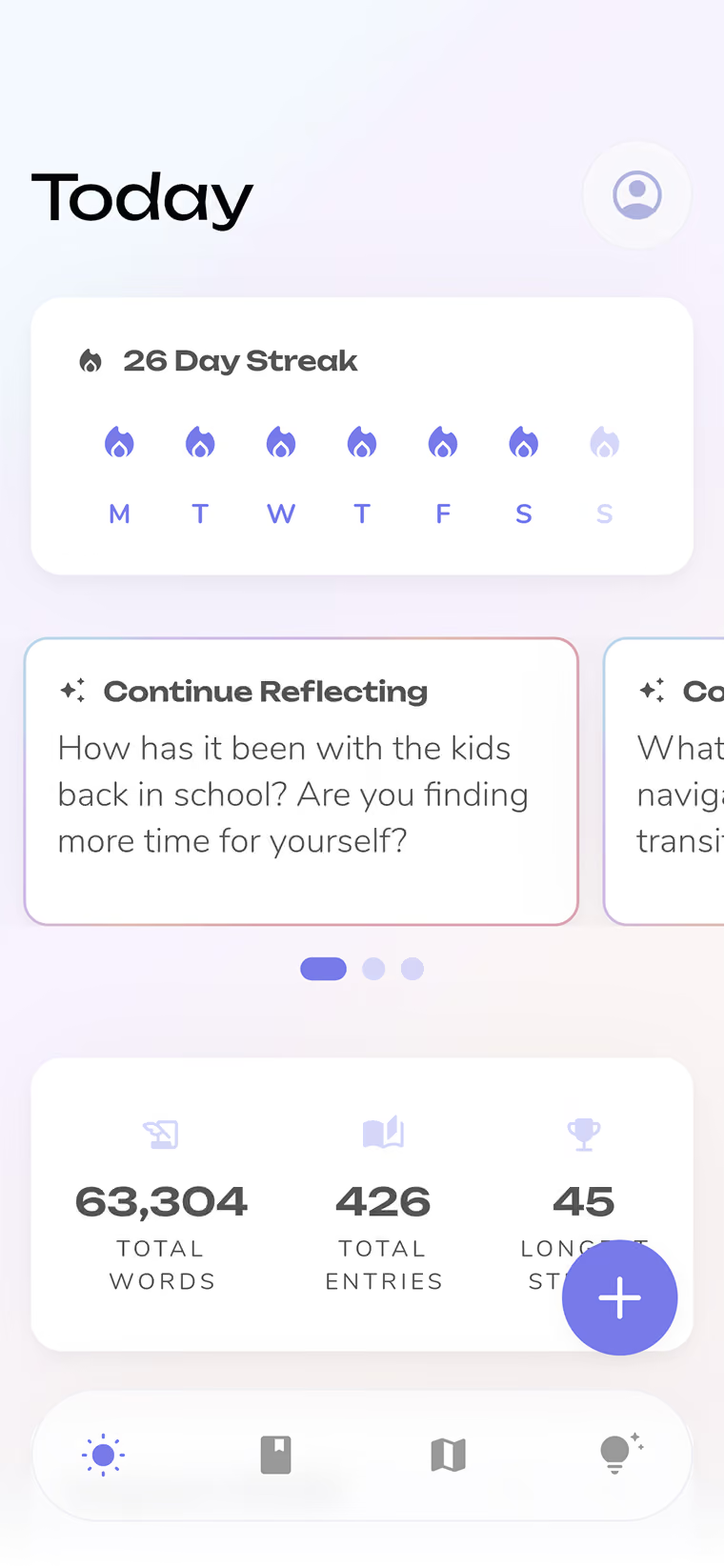
Reflection keeps a traditional journal interface while adding AI assistance around capture and review. Source: Reflection.
Voice removes typing friction
Reflection supports voice journaling and transcription.
Source: Reflection — Voice Journaling
This is useful when:
- walking,
- commuting,
- tired,
- unable to sit and write.
In its 2026 updates, Reflection also improved voice capture and iOS quick-entry flows.
Source: Reflection Changelog
Quick capture has become genuinely fast
Reflection 6.27 added ways to start an entry from:
- iOS Spotlight,
- shared text.
Source: Reflection Changelog
This matters.
A busy-person journal should meet you where the thought appears.
Not require a ceremonial app-opening sequence.
Weekly and monthly reviews are the killer feature
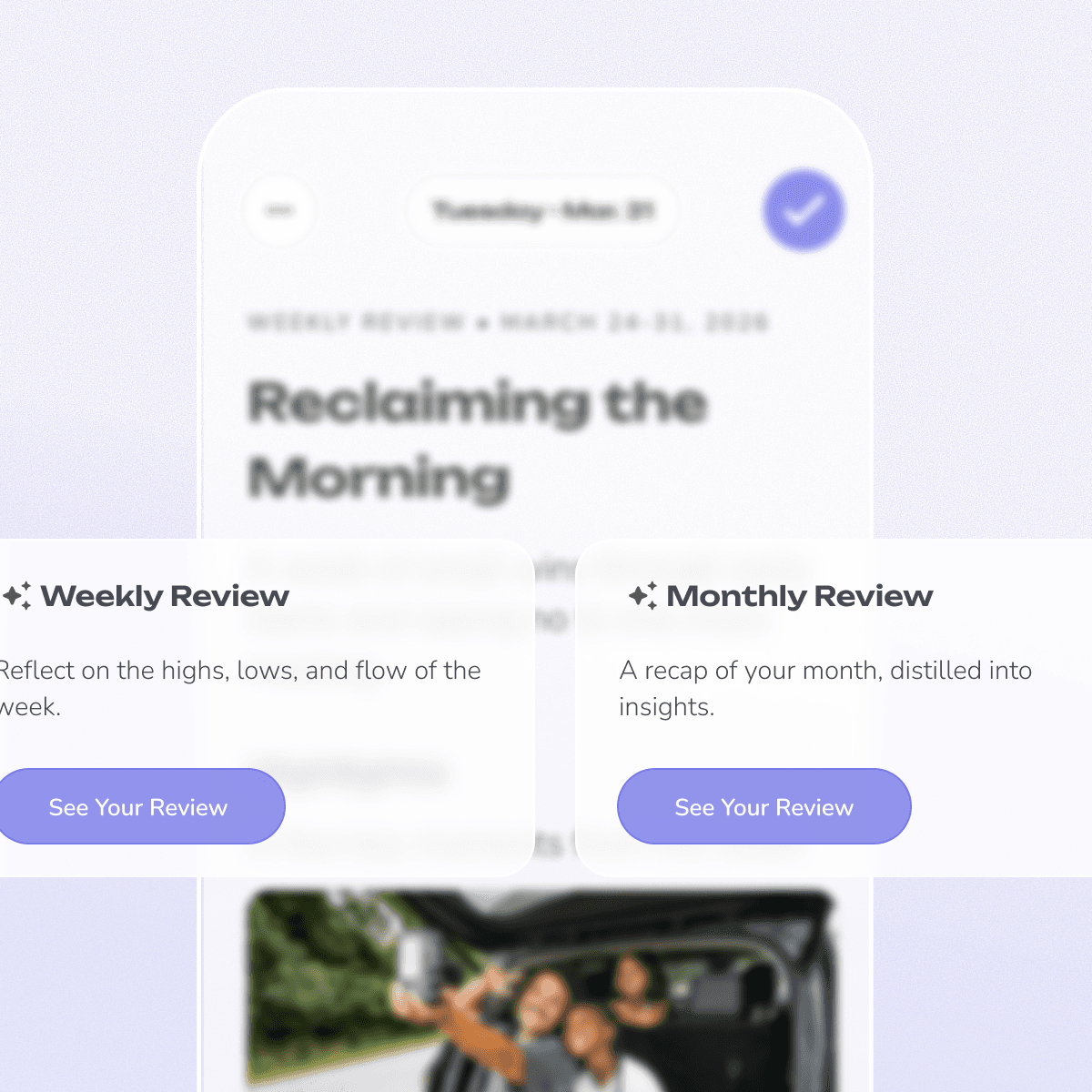
Reflection automatically synthesizes entries into weekly and monthly reviews. Source: Reflection.
Reflection summarizes:
- themes,
- wins,
- moods,
- shifts.
Source: Reflection — Weekly & Monthly Reviews
This is ideal for people who think:
“I want to understand the week, but I am not writing another Sunday essay.”
The AI handles the first pass.
AI Coach reduces blank-page friction
Reflection's Inline AI Coach behaves more like texting while journaling.
It can:
- respond as you write,
- switch between text and voice,
- add follow-up reflection.
Source: Reflection 6.21
This gives you guidance only when useful.
Ask Your Journal saves search time later
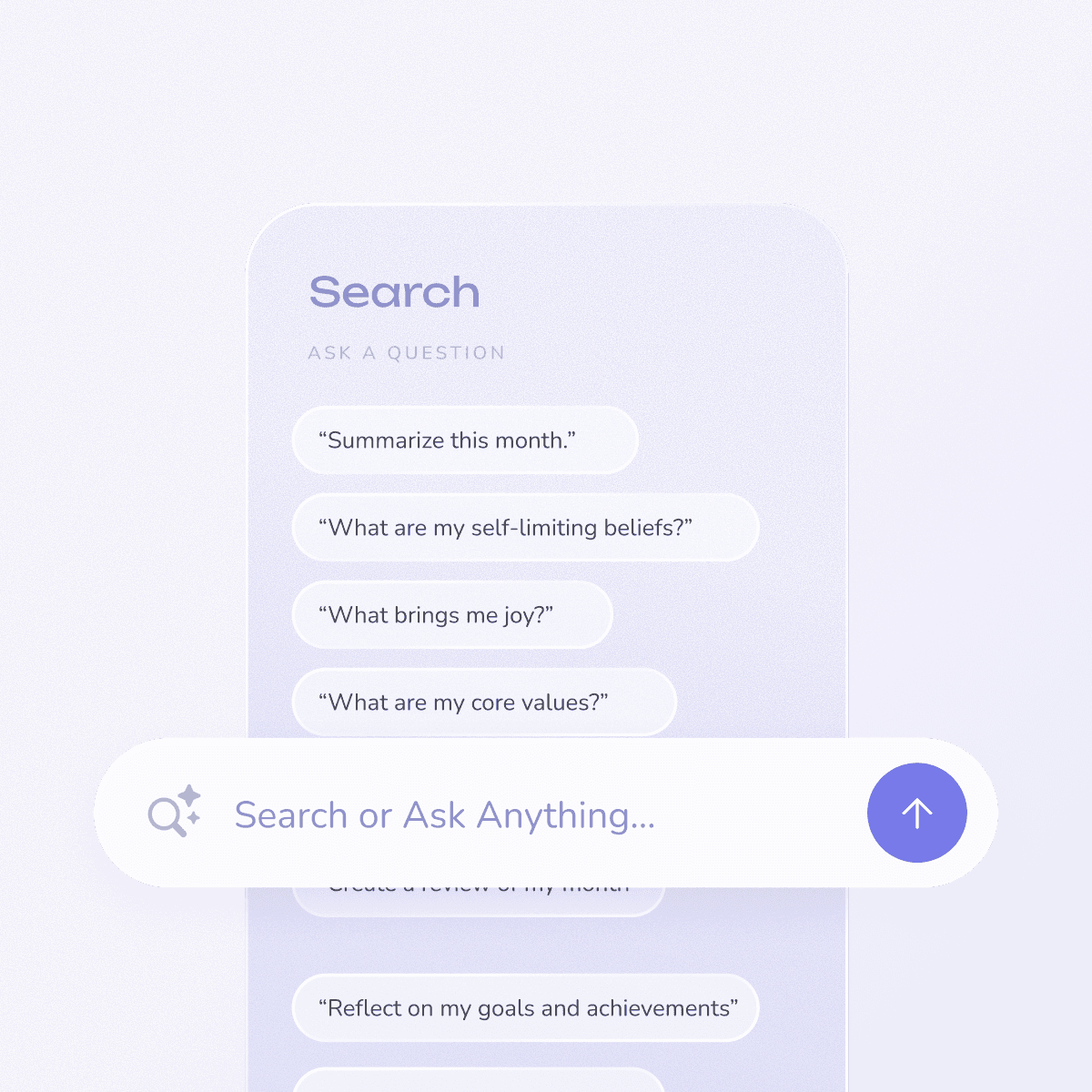
Ask Your Journal lets users query their history instead of manually scrolling through old entries. Source: Reflection.
Busy people do not want to search six months of old entries.
They want to ask:
“When did I first start talking about this?”
Reflection can search across journal history in natural language.
Its September 2026 update specifically improves journal-wide Search across years of entries.
Source: Reflection Changelog
Private entries can stay outside AI analysis
Reflection lets users mark entries as Private so they do not appear in:
- AI search,
- insights,
- themes,
- reviews.
Source: Reflection 6.21
That is a thoughtful control.
Busy does not have to mean:
give the AI everything because configuring privacy takes time.
Where Reflection is weaker
Reflection still feels like a journal.
If the word:
entry
already makes you tired, Gemora or a more conversational system may fit better.
Its richer AI and review features also depend on plan.
Bottom line
Choose Reflection if you want to capture quickly during the week and let the app automatically do most of the work of looking back.
4. Journey: best if you want to journal from where you already are
Best for
People whose biggest friction is:
opening a dedicated journal app.
Journey has one particularly useful 2026 direction:
journaling through WhatsApp.
It also offers:
- cross-platform journaling,
- voice,
- Odyssey AI,
- traditional diary features.
Source: Journey

Journey combines traditional journaling with AI-powered reflection and retrieval. Source: Journey.
WhatsApp journaling is extremely relevant for busy people
Journey added WhatsApp journaling in 2026.
The idea is simple:
you can capture thoughts in an interface you already use.
That removes:
context switching.
For busy people, that matters more than another beautiful dashboard.
You can send more than text
Journey's conversational capture direction includes:
- text,
- photos,
- voice notes.
That makes it easy to record:
“Today was chaotic, here is what happened”
while moving between things.
Odyssey AI can answer from past entries
Journey's Odyssey AI lets users ask questions about:
- life,
- moods,
- patterns,
- goals.
It draws responses from previous journal entries.
Source: Journey — Odyssey AI
This means your short captures do not stay isolated.
You can later ask:
“What kept coming up this month?”
Reflection can proactively bring old entries back
Journey's Apple-device Reflection feature can surface older entry snippets and ask a follow-up question.
Example:
Old:
“Work is stressful.”
Later:
“How are things at work now?”
That is a low-effort way to revisit.
You do not have to remember what to search for.
Throwbacks are low-tech but effective
Journey also supports chronological Throwbacks from:
- weeks,
- months,
- years ago.
For busy users, this is useful precisely because it requires no analysis.
Old memory appears.
You decide whether it matters.
Where Journey is weaker
Journey's experience is broader and more fragmented than the AI-first products.
Some capabilities vary by:
- platform,
- plan,
- sync configuration.
If you want one unified AI-journaling interface, Rosebud or Mindsera may feel cleaner.
Bottom line
Choose Journey if the easiest journaling workflow is the one embedded in tools and devices you already use instead of demanding that you remember to open a separate journal every night.
5. Mindsera: best for busy power users who still want deep analysis
Best for
People who are busy but want more than:
quick emotional check-in.
Mindsera is the most analytically ambitious app in this list.
Current features include:
- Voice Mode,
- Call Mode,
- entry analysis,
- natural-language search,
- Ask Your Journal,
- recurring-topic detection,
- weekly review,
- Story View,
- automatic weekly/monthly/yearly summaries.
Source: Mindsera
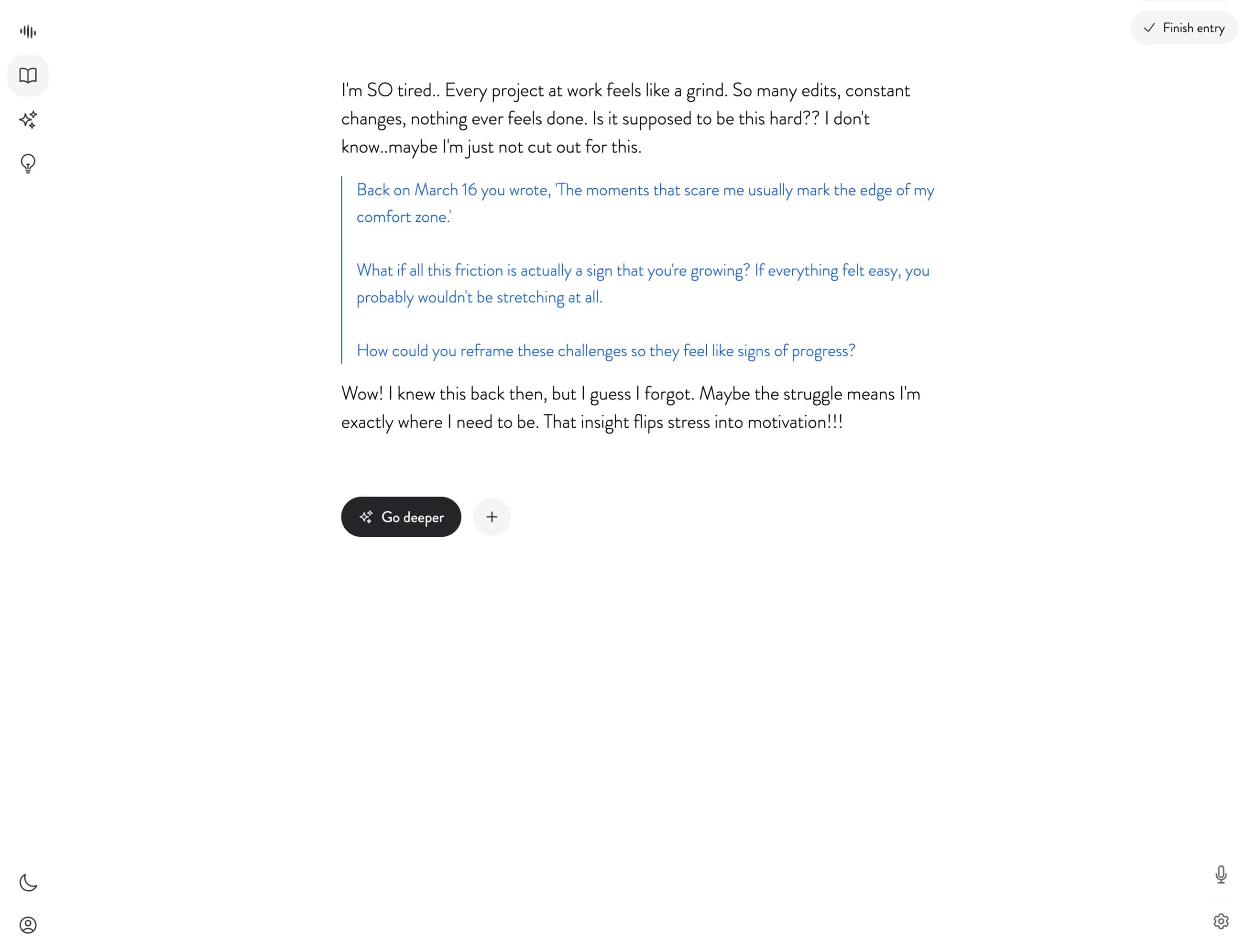
Mindsera supports typing, voice, and deeper conversational reflection while preserving long-term analysis. Source: Mindsera.
Voice and Call Mode reduce input time
Mindsera supports:
- voice recording,
- back-and-forth Call Mode.
Its July 2026 comparison says users can:
- type,
- speak,
- call the journal.
Source: Mindsera — Best AI Journaling Apps 2026
This helps busy users capture thoughts without typing.
Smart notifications help with timing
Mindsera's 2026 roadmap lists:
smart personalized notifications
as shipped in June.
Source: Mindsera Roadmap
A reminder is more useful when it arrives at a sensible moment rather than:
9 PM every day because settings say 9 PM.
Weekly review arrives automatically
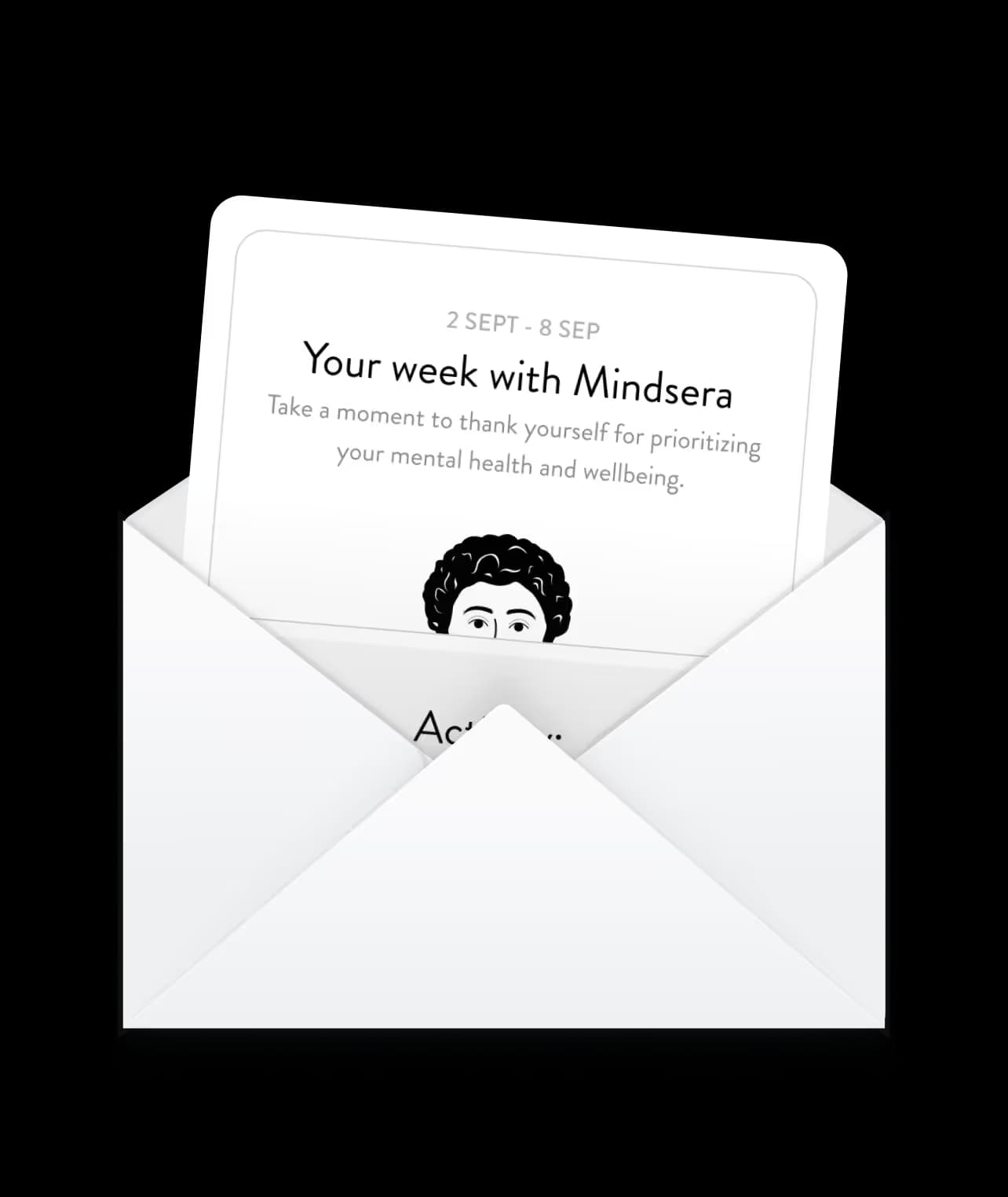
Mindsera can send an automatic weekly review summarizing journaling activity. Source: Mindsera.
Mindsera's weekly review provides a summary and analysis of the past week's journaling activity.
Source: Mindsera — Weekly Review
This saves the busy user from writing another review manually.
Story View makes long histories easy to scan
Mindsera's Story View provides:
- daily,
- weekly,
- monthly,
- yearly
summaries.
Source: Mindsera — Entries & Highlights
That lets a busy user zoom out quickly.
Instead of:
scroll 93 entries,
you can read:
monthly narrative.
Ask Your Journal reduces retrieval time

Mindsera lets users ask natural-language questions across their journal history. Source: Mindsera.
Ask:
“What has been stressing me out this month?”
or:
“What changed in the last three weeks?”
This is much faster than manual review.
Recurring topics automate pattern detection

Mindsera automatically surfaces recurring topics across entries. Source: Mindsera.
This is useful.
But it is also why Mindsera ranks lower for the average busy person.
It offers many layers.
If you are already overloaded, another analytics dashboard can become noise.
Where Mindsera is weaker
Mindsera is excellent for:
busy analytical people.
It may be too much for someone who only wants:
two-minute reflection.
Features such as:
- emotion analysis,
- personality assessment,
- recurring-topic graphs,
are powerful but not necessary for everyone.
Bottom line
Choose Mindsera if you are short on time but still want the richest long-term analysis, provided you will actually use the extra depth rather than merely admire the dashboard.
6. Gemora: best if you do not want a journaling habit at all
Best for
People who say:
“I like the idea of reflection. I just do not want to maintain a journal.”
Gemora is not a traditional AI journal.
It is a personal AI centered on:
conversations about everyday life.
Source: Gemora
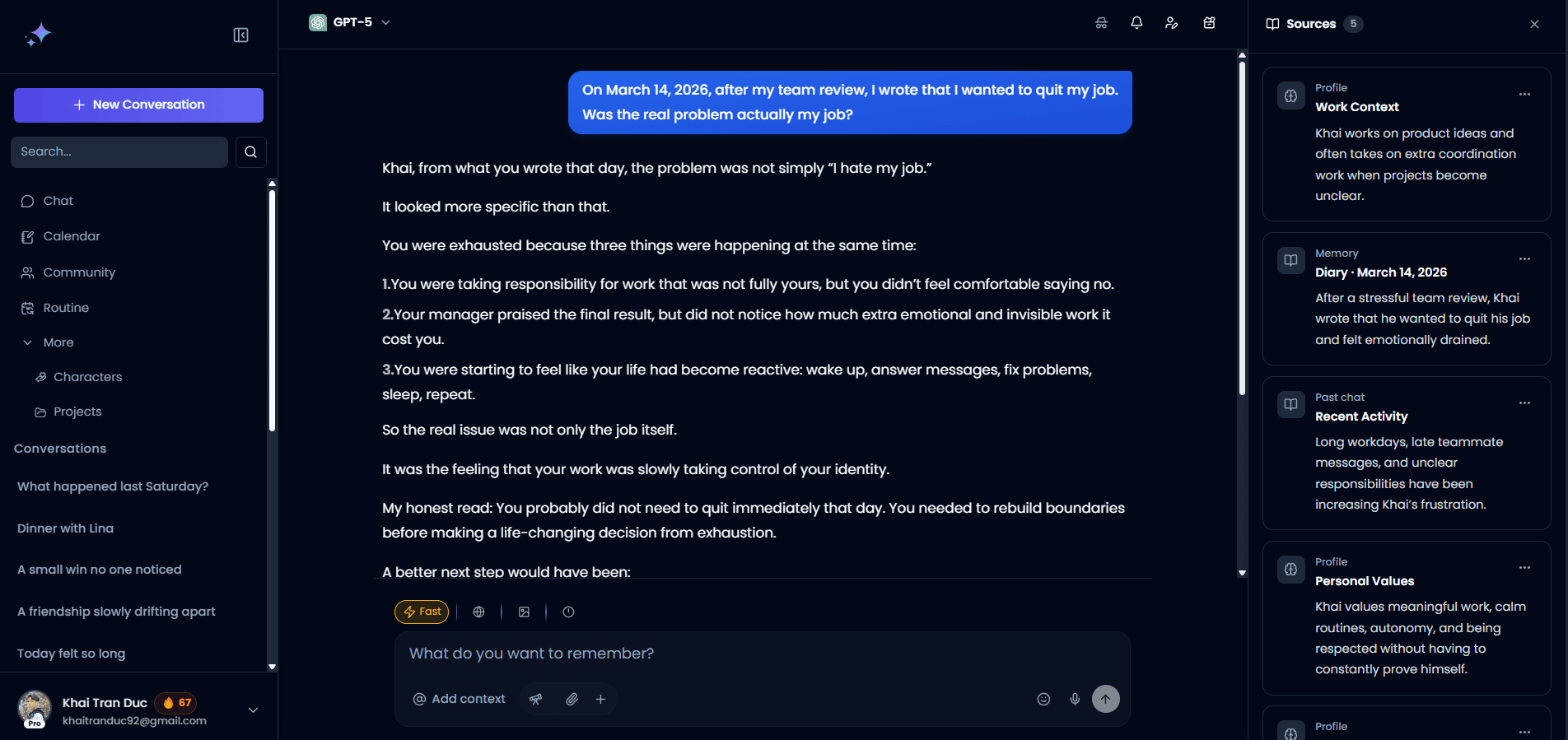
Gemora removes the requirement that reflection begin with a formal journal entry. Source: Gemora.
Why this matters for busy people
Traditional journaling creates a separate behavior:
Live life
↓
Remember to journal
↓
Open journal
↓
Reconstruct day
↓
Write
A conversation-first system can be:
Something happens
↓
Talk about it naturally
↓
Context stays connected
↓
Review later
One less ritual.
That is important for busy people.
Recap does the “look back” job
Gemora Recap organizes personal context by time so users can return to days and periods later. Source: Gemora.
You do not need to have written:
“Journal entry, September 4.”
You may simply have talked about:
- launch,
- friend,
- bad meeting,
- decision.
Recap makes that period easier to revisit.
Memories preserve useful threads

Gemora Memories is intended to keep useful older context available across future conversations. Source: Gemora.
This is particularly useful if your captures are:
- short,
- irregular,
- conversational.
That is exactly how busy people often use AI.
Insights move beyond daily capture

Long-term reflection can focus on what changed rather than how many entries you managed to create. Source: Gemora.
A busy person may care more about:
“What changed this month?”
than:
“Did I journal 24 of 30 days?”
That is a healthier metric for many people.
The no-journal weekly workflow
Use Gemora or any memory-aware AI like this:
During the week:
talk naturally.
Once a week:
“What happened, what changed, and what is still unresolved?”
That can replace a separate daily journal habit.
For the full workflow:
How to Use AI for a Weekly Life Review Without Journaling
Where Gemora is weaker
If you explicitly want:
- a diary archive,
- formal dated entries,
- journal templates,
- print/export book workflows,
use a real journaling app.
Gemora's value is:
reflection without making journaling itself the main behavior.
Bottom line
Choose Gemora if you are too busy not because you lack five minutes, but because adding one more separate habit to your life is the real problem.
Which app is fastest?
Here is the practical comparison.
| Workflow | Best app |
|---|---|
| 60-second text capture | Day One |
| 2-minute voice reflection | Rosebud / Reflection |
| Talk through something while walking | Mindsera / Rosebud |
| Capture without opening a dedicated journal | Journey |
| Automatic weekly recap | Reflection / Rosebud / Mindsera |
| No formal journal habit | Gemora |
Best AI journal for a five-minute daily routine
If you have exactly five minutes:
Minute 0–1
Say:
“What is the one thing from today worth remembering?”
Minute 1–3
Answer by:
- voice,
- short text,
- chat.
Minute 3–4
Ask:
“What changed or mattered here?”
Minute 4–5
Save.
Do not add:
- mood score,
- 12 tags,
- gratitude section,
- goals,
- six dimensions of wellness.
Unless you genuinely enjoy them.
Five minutes should remain five minutes.
The two-minute version
Use:
Today:
1. What happened?
2. What mattered?
3. What is still on my mind?
Answer one sentence each.
That is enough.
The 30-second version
Use:
“One thing I want to remember from today is…”
Finish the sentence.
Done.
This creates a surprisingly valuable history if repeated.
Busy people should journal events, not everything
You do not need to document:
breakfast.
Capture:
- decisions,
- meaningful conversations,
- turning points,
- wins,
- failures,
- moments you want back later,
- things that keep returning.
This produces higher signal per minute.
Use “moment capture” instead of daily journaling
A good low-friction system is event-triggered.
Capture when:
something changed.
Examples:
“I changed my mind.”
“This conversation mattered.”
“I finally shipped.”
“I do not want to forget this.”
“I keep thinking about this.”
This works better than forcing:
one entry every night
for many people.
Voice is often the highest-leverage busy-person feature
Speaking is useful because it preserves:
- tone,
- spontaneity,
- details.
A two-minute voice note can contain far more context than a forced two-sentence entry.
Apps particularly strong here:
- Rosebud,
- Reflection,
- Mindsera,
- Journey.
But voice has one problem
People ramble.
The best workflow is:
Voice
↓
AI transcript
↓
AI concise summary
↓
Keep original if wanted
This gives you:
rich source + readable archive.
Do not manually edit every transcript.
You are busy.
That was the premise.
Let AI summarize, but keep the original
Important.
AI summaries can:
- omit details,
- reinterpret tone,
- compress incorrectly.
Keep the source entry.
Use the summary as:
index.
Not:
replacement.
Weekly review is more important than daily streak
For busy people, I would rather have:
3 useful entries + 1 good weekly review
than:
7 shallow entries written only to protect a streak.
A weekly review helps answer:
- what happened,
- what mattered,
- what changed,
- what is unresolved,
- what to carry forward.
That is real reflection.
The 10-minute weekly review
Use:
Using this week's entries:

1. What happened?
2. What changed?
3. What went well?
4. What kept coming up?
5. What remains unresolved?
6. What is worth remembering?
7. What matters next week?

Separate facts from interpretation.
Keep it concise.
Rosebud, Reflection, and Mindsera already automate parts of this.
Do not manually write the same thing twice
This is one of the biggest busy-person mistakes.
Example:
You already wrote about:
difficult meeting.
Then weekly review asks:
“Describe your biggest challenge.”
You write the meeting again.
Pointless.
AI should retrieve and synthesize.
Your job is:
confirm or correct.
Use photos as memory shortcuts
A photo can replace several sentences.
Example:
photo from dinner.
Add:
“First time everyone was together in months.”
That is enough.
Day One's Moments workflow is especially good for using:
- photo library,
- calendar,
- location
as capture cues.
Use calendar context as a memory cue
If your week is busy, you may forget what happened.
Calendar can reconstruct:
- meetings,
- travel,
- appointments,
- events.
Then you only add:
meaning.
Example:
Calendar:
“Product review.”
You:
“This is where we decided to delay launch.”
That is efficient.
Do not turn journaling into task management
Busy people already have task systems.
Your journal does not need:
- every to-do,
- every project update,
- every deadline.
Capture the part worth reflecting on.
Task manager:
“Submit app.”
Journal:
“I finally submitted it after delaying twice. Mostly relieved.”
Different jobs.
AI journaling for busy professionals
A good professional reflection loop can be:
Friday:
5–10 minutes

Ask:
- What did I finish?
- Which decision mattered?
- What caused the most friction?
- What did I learn?
- What should change next week?
This is enough.
You do not need a corporate diary in which every Tuesday receives a retrospective.
AI journaling for founders
Founder weeks are unusually noisy.
Useful captures:
- user feedback,
- decision changes,
- emotional reactions,
- milestones,
- uncertainty,
- people,
- what became more important.
Weekly question:
“What changed in the company and what changed in how I think about it?”
That is much more useful than:
“How productive was I?”
AI journaling for students
Capture:
- what clicked,
- what remains confusing,
- deadlines,
- important conversations,
- changing academic goals.
Weekly review:
“What did I actually learn this week?”
Mindsera and Day One work well here.
AI journaling for parents
The best use may not be “self-optimization” at all.
It may be:
preserve tiny moments.
Examples:
- funny sentence,
- first,
- family moment,
- photo + one sentence.
Day One is particularly strong for this classic life-journal use case.
Gemora can work if family life already comes up naturally in conversation.
Do streaks help busy people?
Sometimes.
They can also create guilt.
A good rule:
streaks are optional feedback, not moral judgment.
If missing three days makes you avoid the app for three months, the streak has failed.
Returnability matters more.
The best busy-person journal should survive irregular use
Test this.
Use the app:
- Monday,
- Thursday,
- Sunday.
Skip four days.
Return.
Does it still make sense?
Can it:
- connect the context,
- summarize the week,
- retrieve older material?
That is more important than perfect daily adherence.
The “missed a week” prompt
Use:
I did not journal for a week.

Do not make me reconstruct every day.

Help me capture only:
- major events
- decisions
- meaningful people/moments
- what changed
- what is still unresolved

Keep this under 10 minutes.
This is how AI should reduce guilt and catch-up work.
Privacy matters even more when capture gets easier
The easier a journal is to use:
the more you may put into it.
Voice especially can produce highly personal data quickly.
Before using AI heavily, check:
- encryption,
- training policy,
- cloud vs local processing,
- export,
- deletion,
- AI opt-out,
- private-entry controls.
Reflection and Mindsera publicly emphasize privacy and no-training policies.
Day One has some on-device AI options.
Rosebud says data is encrypted in transit and at rest.
Always verify the current policy for the exact feature.
Busy does not mean careless
Do not feed a journal:
- passwords,
- private credentials,
- confidential third-party documents,
because:
“I needed to capture it quickly.”
Quick capture should not become quick security failure.
The best minimalist setup
If you want the smallest system possible:
Daily:
Optional 1–3 minute capture

Weekly:
10-minute AI review

Monthly:
15-minute look-back
That is it.
No elaborate habit stack.
A good monthly prompt
Review this month's entries.

Show:
- biggest changes
- recurring themes
- meaningful moments
- decisions
- things that resolved
- things still unresolved
- what became more or less important

Do not create motivational filler.
Busy-person journaling vs traditional journaling
Traditional journaling is better if:
- writing itself helps you think,
- you enjoy longer sessions,
- you want a detailed personal record.
AI journaling is better if:
- blank pages create friction,
- voice is easier,
- you want summaries,
- you want old context retrieved automatically,
- you have irregular time.
Neither is inherently superior.
The useful system is the one you will actually use.
A devastatingly sophisticated conclusion.
AI journal vs talking to ChatGPT
General AI can be very low friction.
But a dedicated journal often provides better:
- dated archive,
- search,
- entries,
- privacy controls,
- weekly reviews,
- structured reflection.
ChatGPT provides better:
- general reasoning,
- broad tasks,
- flexible conversation.
For a busy person, dedicated journaling apps win when:
you want a reliable personal history.
A personal AI wins when:
conversation itself is the history.
Where Gemora fits
Gemora's opportunity is not:
“make journaling faster.”
It is:
remove the requirement that reflection be a separate journaling task at all.
That is a larger shift.
Instead of:
app for writing about life,
the product becomes:
AI you already talk to about life.
Then:
- recap,
- memory,
- insights
become the reflection layer.
This is why Gemora should not market itself simply as:
AI journal.
That category is useful for SEO.
It is too narrow for the product thesis.
The future of busy-person journaling
The category is converging toward:
Speak or chat quickly
↓
AI structures it
↓
Memory connects it
↓
Weekly review synthesizes it
↓
Timeline preserves changes
That is very different from:
“Write 500 words tonight.”
The best future journal may barely feel like journaling while you are using it.
The reflection happens later.
Final verdict
The best AI journaling app for a busy person should not ask:
“How can we make you journal more?”
It should ask:
“How can we get useful reflection from the little time you already have?”
Choose Rosebud if you want the best overall combination of:
- conversation,
- voice,
- memory,
- weekly synthesis.
Choose Day One if you want to capture a day quickly and turn a short AI chat or log into a proper journal entry.
Choose Reflection if you want small entries during the week and automatic weekly/monthly reflection afterward.
Choose Journey if the biggest barrier is having to open and maintain another app.
Choose Mindsera if you are busy but still want deep analysis, long-term patterns, and powerful history tools.
Choose Gemora if you do not want journaling to be a separate habit at all.
The deeper lesson is simple:
Busy people do not need a smaller version of a complicated journaling routine. They need a different workflow.
A useful one looks like:
Capture quickly
↓
Let AI organize
↓
Let memory connect
↓
Review periodically
↓
Move on with your life
The journal should give time back.
Not become another thing demanding it.
You do not need to document every day for your life to stay connected. Gemora is built around everyday conversations, moments, decisions, and changes staying available enough that you can look back without maintaining a perfect journal habit. Start talking with Gemora.
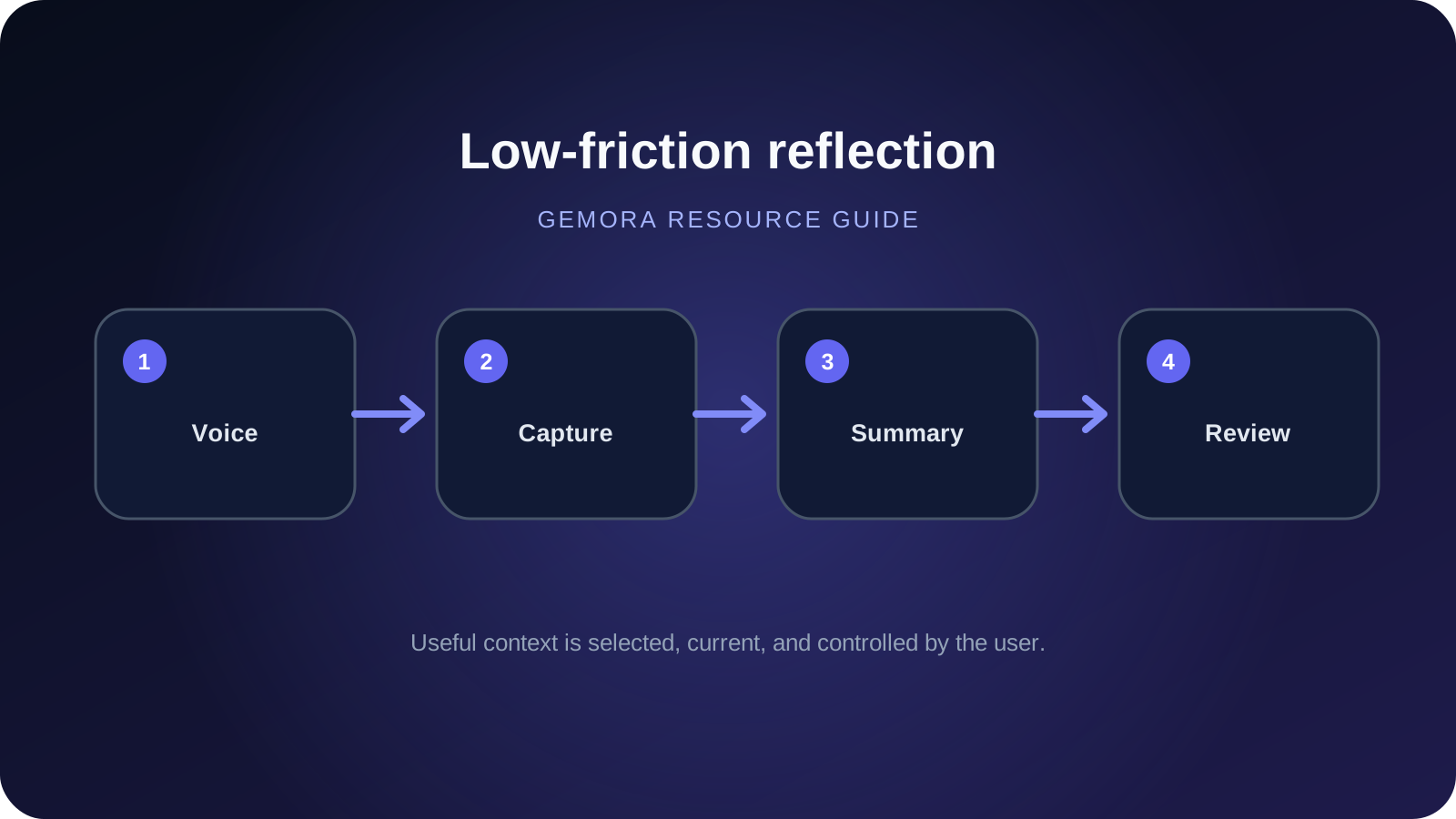
Continue the thread
Make reflection easier to maintain
Connect conversations, useful context, reflections, projects, and tasks in one personal workspace.
Start freeFrequently asked questions
What is the best AI journaling app for busy people?
Rosebud is our best overall pick because it combines conversational journaling, voice, memory, and automatic weekly reports in a low friction workflow.
What is the fastest AI journal?
Day One's Log Mode and Daily Chat are particularly good for very fast capture.
Can I journal in five minutes a day?
Yes.
Sources and further reading
- Rosebud — AI Journaling App
- Rosebud — Weekly Report
- Day One — Introducing Daily Chat
- Day One — Version 2026.7
- Day One — AI Features
- Day One — Daily Chat
- Day One — Apple Intelligence / On Device AI
- Reflection — AI Journal
- Reflection — Weekly & Monthly Reviews
- Reflection — Voice Journaling
- Reflection — Changelog
- Reflection — Inline AI Coach and Privacy Controls
Written by Khai Tran and reviewed under the Gemora Editorial Policy.