
Published by Gemora. This comparison draws on official product documentation and Gemora’s own workspace features. It is not an independent benchmark or a hands-on test of every competitor feature.
What you are choosing between
Gemora starts with the things you want to talk through: a difficult week, a relationship, an unfinished project or a decision you keep returning to. Its personal workspace brings conversations together with memories, reflections, notes, projects and tasks. The value is being able to continue a thread and keep the useful outcome close to its context.
ChatGPT covers a wider range of requests. You might use it to explain a technical idea, revise a document, explore data or investigate a question. That breadth is a reason to choose it. A reader who mainly wants a capable general assistant should not assume a dedicated personal workspace is automatically a better replacement.
Memory: both products can carry context forward
It would be misleading to describe ChatGPT as an assistant that always starts from zero. OpenAI documents personalization from saved memories, past chats and, where available, files or connected apps. The controls and sources available depend on plan, region and workspace settings. Memory is selective rather than a complete record of every conversation.
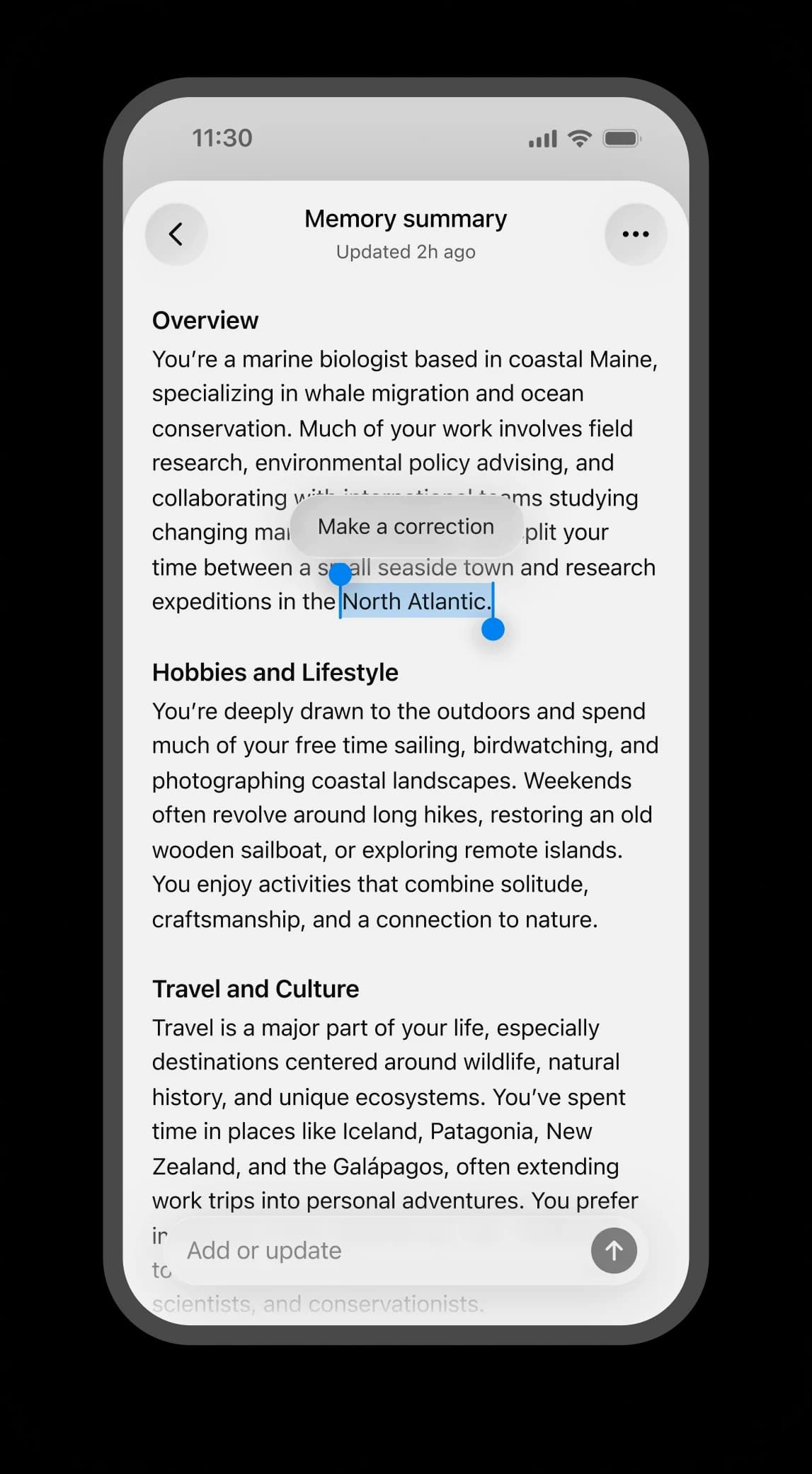
Gemora makes personal context part of the surrounding workspace. For example, a recurring career concern can sit alongside your reflections, relevant notes and the project or task that follows. Evaluate whether that organization helps you find and reuse your own thinking, rather than comparing the products only by how confidently they say they remember you.
Journaling and a practical everyday example
Imagine returning on Friday to something you discussed on Monday: “I am still unsure about changing jobs.” In Gemora, the intended workflow is to revisit relevant personal context, talk through what changed, preserve the reflection and keep a next action connected. This is a workflow example, not a promise that every earlier detail will be recalled.
ChatGPT can also help you reflect or write a journal entry. If that already fits your routine, there may be no need to move. Gemora is more relevant when you want a dedicated place for ongoing reflection and the personal record around it, rather than assembling that routine inside a broad assistant.
Privacy: compare the controls you will actually use
A useful personal AI needs context, but you should decide which parts of your life belong in it. In Gemora, review saved memories, correct details that have changed, and remove context you no longer want used. A saved note and a memory used for personalization serve different purposes; check both when cleaning up personal information.
Before moving an existing history, try the same low-risk detail in each product. Ask what was remembered, correct it, then test the removal controls. Review the provider’s current policy for retention, model training, connected apps and account deletion. A private workspace does not, by itself, establish end-to-end encryption or prove one provider is safer than another.
Pricing: compare the complete workflow
Start with the task you need to complete, then check which plan includes the required memory, tools and usage allowance. A subscription name alone tells you little about limits, platform differences or regional availability. Gemora’s current plans are listed on its pricing page; use the competitor’s live pricing or in-app checkout for its current offer.
Try a small recurring workflow before paying: revisit a decision a few days later, find the original context, and turn the result into something useful. Compare how much setup and correction each tool requires. This article does not treat remembered prices or an “unlimited” label as a guarantee of unrestricted usage.
View Gemora pricingWhich should you choose?
Choose ChatGPT for a broad mix of knowledge tasks and general assistance. Choose Gemora if your main friction is repeatedly reconstructing personal context or losing the connection between a conversation and what you wanted to do next. You can also use both: a general assistant for a discrete work task, and Gemora for continuing personal reflection.
Official sources
Product information reviewed October 4, 2026. Features, usage limits and availability can change. Product images belong to their respective owners.