
AI assistant with memory
How to Evaluate an AI Assistant With Memory
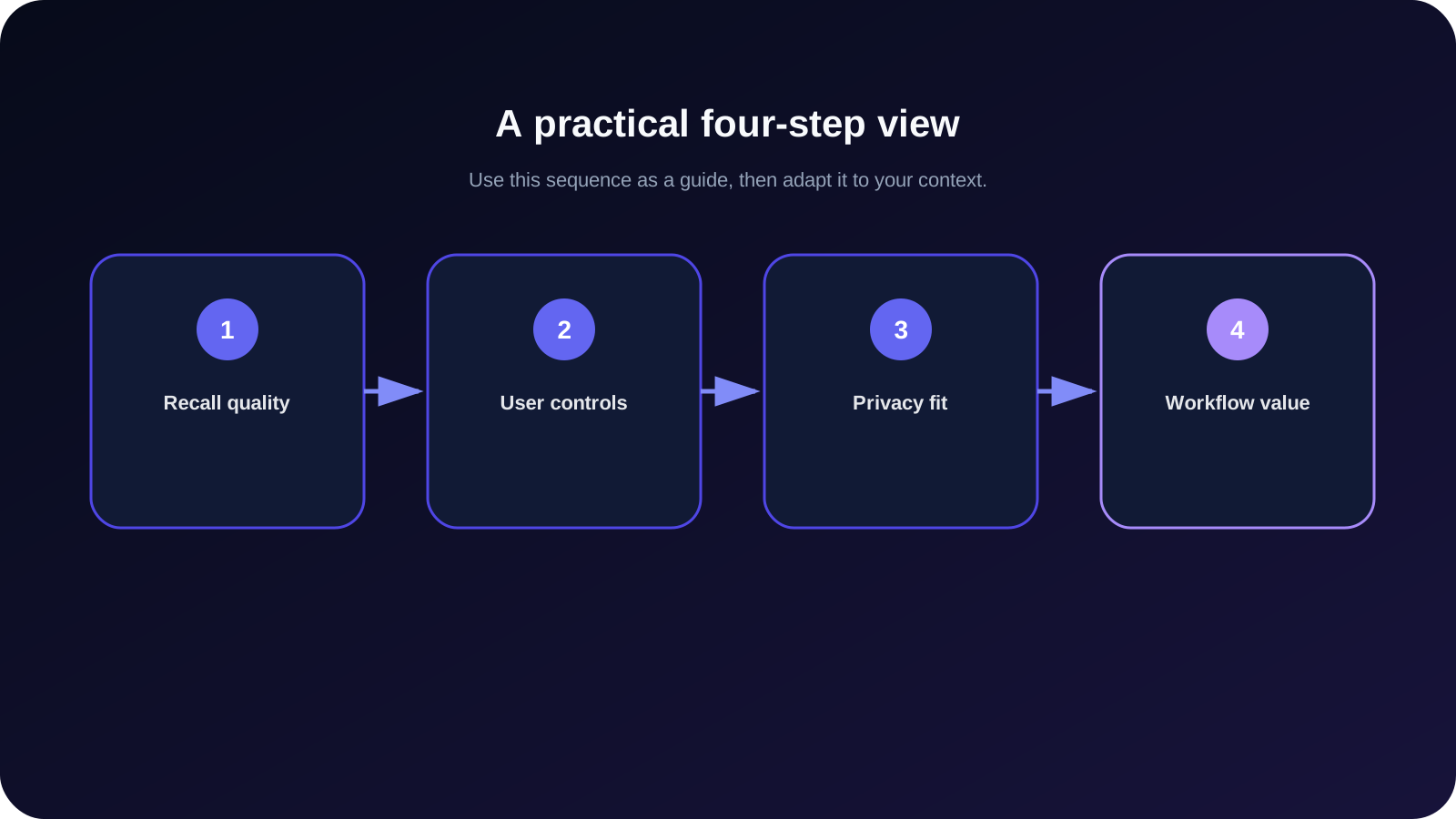
Use a practical checklist to compare AI assistants with memory across recall quality, relevance, user controls, privacy documentation, and workflow fit.

Dans ce guide
À retenir
- Design a repeatable memory test
- Measure relevance as well as recall
- Inspect visibility, correction, and deletion controls
A practical checklist for comparing AI assistants with memory across recall, user controls, privacy, and connected workflows. In practical terms, memory quality depends on relevance, accuracy, visibility, correction, deletion, and workflow value—not a dramatic recall demo. This guide explains the distinction without treating memory, journaling, or reflection as magic. It focuses on choices you can inspect, test, and change.
Key takeaways: Begin with a concrete need. Save less but make it useful. Keep interpretations tentative. Review what changed. Use privacy and deletion controls before trusting any personal system with important context.
Design a repeatable memory test
Memory quality depends on relevance, accuracy, visibility, correction, deletion, and workflow value—not a dramatic recall demo. The practical question here is not whether a feature sounds intelligent, but whether it produces a result you can understand and use. State what happened before explaining why it happened. This keeps the first layer close to evidence and makes later interpretation easier to revise. A reliable approach keeps the source, the interpretation, and the action separate, so a later change does not silently rewrite the original situation.
Consider this example: a fair test saves one preference and one project constraint, checks recall in a later chat, corrects one fact, and verifies that deletion changes future use. That example is deliberately ordinary. Everyday cases reveal whether the workflow reduces repetition, preserves the right context, and remains understandable after the novelty wears off. Write down what you expect the system or practice to do, then compare that expectation with what actually happens. If the result cannot be reviewed or corrected, treat it as a draft rather than established truth.
A useful check is to ask three questions: What information entered the process? What transformation happened to it? What control do you have afterward? These questions expose hidden assumptions. They also help separate a genuinely helpful outcome from a fluent response that merely sounds plausible. Keep only the context needed for the next useful step, and avoid making personal labels from one conversation or one journal entry.
Measure relevance as well as recall
Memory quality depends on relevance, accuracy, visibility, correction, deletion, and workflow value—not a dramatic recall demo. The practical question here is not whether a feature sounds intelligent, but whether it produces a result you can understand and use. Record the smallest unit that would still be useful next week. Extra detail can be added later, but removing irrelevant or sensitive context is harder. A reliable approach keeps the source, the interpretation, and the action separate, so a later change does not silently rewrite the original situation.
Consider this example: a fair test saves one preference and one project constraint, checks recall in a later chat, corrects one fact, and verifies that deletion changes future use. That example is deliberately ordinary. Everyday cases reveal whether the workflow reduces repetition, preserves the right context, and remains understandable after the novelty wears off. Write down what you expect the system or practice to do, then compare that expectation with what actually happens. If the result cannot be reviewed or corrected, treat it as a draft rather than established truth.
A useful check is to ask three questions: What information entered the process? What transformation happened to it? What control do you have afterward? These questions expose hidden assumptions. They also help separate a genuinely helpful outcome from a fluent response that merely sounds plausible. Keep only the context needed for the next useful step, and avoid making personal labels from one conversation or one journal entry.
Inspect visibility, correction, and deletion controls
Memory quality depends on relevance, accuracy, visibility, correction, deletion, and workflow value—not a dramatic recall demo. The practical question here is not whether a feature sounds intelligent, but whether it produces a result you can understand and use. Compare the result with a concrete need: a decision, a follow-up conversation, a note you want to find, or a question you want to revisit. A reliable approach keeps the source, the interpretation, and the action separate, so a later change does not silently rewrite the original situation.
Consider this example: a fair test saves one preference and one project constraint, checks recall in a later chat, corrects one fact, and verifies that deletion changes future use. That example is deliberately ordinary. Everyday cases reveal whether the workflow reduces repetition, preserves the right context, and remains understandable after the novelty wears off. Write down what you expect the system or practice to do, then compare that expectation with what actually happens. If the result cannot be reviewed or corrected, treat it as a draft rather than established truth.
A useful check is to ask three questions: What information entered the process? What transformation happened to it? What control do you have afterward? These questions expose hidden assumptions. They also help separate a genuinely helpful outcome from a fluent response that merely sounds plausible. Keep only the context needed for the next useful step, and avoid making personal labels from one conversation or one journal entry.
Review privacy and retention documentation
Memory quality depends on relevance, accuracy, visibility, correction, deletion, and workflow value—not a dramatic recall demo. The practical question here is not whether a feature sounds intelligent, but whether it produces a result you can understand and use. Look for an exception before turning an observation into a rule. Exceptions often reveal the condition that actually matters. A reliable approach keeps the source, the interpretation, and the action separate, so a later change does not silently rewrite the original situation.
Consider this example: a fair test saves one preference and one project constraint, checks recall in a later chat, corrects one fact, and verifies that deletion changes future use. That example is deliberately ordinary. Everyday cases reveal whether the workflow reduces repetition, preserves the right context, and remains understandable after the novelty wears off. Write down what you expect the system or practice to do, then compare that expectation with what actually happens. If the result cannot be reviewed or corrected, treat it as a draft rather than established truth.
A useful check is to ask three questions: What information entered the process? What transformation happened to it? What control do you have afterward? These questions expose hidden assumptions. They also help separate a genuinely helpful outcome from a fluent response that merely sounds plausible. Keep only the context needed for the next useful step, and avoid making personal labels from one conversation or one journal entry.
Evaluate the workflow around remembered context
Memory quality depends on relevance, accuracy, visibility, correction, deletion, and workflow value—not a dramatic recall demo. The practical question here is not whether a feature sounds intelligent, but whether it produces a result you can understand and use. Finish with one reviewable action or question. A useful system should make the next step clearer without pretending uncertainty has disappeared. A reliable approach keeps the source, the interpretation, and the action separate, so a later change does not silently rewrite the original situation.
Consider this example: a fair test saves one preference and one project constraint, checks recall in a later chat, corrects one fact, and verifies that deletion changes future use. That example is deliberately ordinary. Everyday cases reveal whether the workflow reduces repetition, preserves the right context, and remains understandable after the novelty wears off. Write down what you expect the system or practice to do, then compare that expectation with what actually happens. If the result cannot be reviewed or corrected, treat it as a draft rather than established truth.
A useful check is to ask three questions: What information entered the process? What transformation happened to it? What control do you have afterward? These questions expose hidden assumptions. They also help separate a genuinely helpful outcome from a fluent response that merely sounds plausible. Keep only the context needed for the next useful step, and avoid making personal labels from one conversation or one journal entry.
Common mistakes and limits
The first mistake is collecting more information than the task requires. Volume can create noise, make outdated details harder to notice, and increase the amount of sensitive context that needs protection. The second is treating a summary as a neutral copy. Every summary selects and compresses, so it should remain editable and linked mentally—or technically—to the underlying evidence.
Another mistake is accepting a confident interpretation because it feels coherent. AI output can omit exceptions, overemphasize recent material, or connect events that only appear similar. Use specific dates, examples, and counterexamples when accuracy matters. For emotional reflection, keep language tentative: “I noticed,” “this may suggest,” and “I want to test” are safer than fixed conclusions. This kind of reflection can support everyday thinking, but it is not diagnosis, therapy, crisis support, or a replacement for professional care.
Where Gemora fits naturally
Gemora is designed for people who want conversations, selected memory, reflections, notes, projects, and tasks to stay connected in one personal workspace. The relevant value is continuity: you can talk through something, preserve the part you choose, and return to it later instead of reconstructing the whole story. Explore Gemora's related solution, read the next practical guide, compare it with another relevant resource, and review Gemora's privacy information before sharing sensitive context.
That fit still depends on your preferences and boundaries. Review saved context, correct what changed, and use the available privacy and deletion information before sharing sensitive material. Gemora supports personal reflection and organization; it does not claim perfect memory and should not be treated as professional mental-health care.
A practical next step
Choose one real situation that matches this guide and run a small test today. Define the outcome you want, limit the context to what is necessary, and write down what would count as a useful result. Afterward, review both the result and the information that remained. A small, inspectable practice is more valuable than an elaborate system you cannot explain or maintain.
Poursuivre la réflexion
Evaluate Gemora as your memory workspace
Connectez les conversations, le contexte utile, les réflexions, les projets et les tâches dans un seul espace de travail personnel.
Commencez gratuitementQuestions fréquemment posées
What is the main idea of how to evaluate an ai assistant with memory?
Use a practical checklist to compare AI assistants with memory across recall quality, relevance, user controls, privacy documentation, and workflow fit.
What should I do first?
Start with one concrete situation, use the smallest useful step from this guide, and review the result before adding more complexity.
Where can a personal AI help?
A personal AI can help you ask follow-up questions, organize context, and revisit what you chose to save. It should not replace your judgment or professional care.

