
use ChatGPT as a journal
Can You Use ChatGPT as a Journal? Benefits, Privacy, and Limits
Learn how to use ChatGPT as a journal, what memory and chat history change, which privacy controls to review, and when a dedicated journal fits better.

En esta guía
- What ChatGPT is good at in a journaling workflow
- A safer 10-minute journal routine
- Memory, history, and model-improvement settings are different
- Reduce sensitive data before you start
- Where ChatGPT falls short as a long-term journal
- Keep reflection separate from clinical care
- When a dedicated journal is the better choice
- Frequently asked questions
Puntos clave
- What ChatGPT is good at in a journaling workflow
- A safer 10-minute journal routine
- Memory, history, and model-improvement settings are different
Yes, you can use ChatGPT as a journal, but the useful answer is more nuanced than “open a chat and start typing.” ChatGPT can help you capture a moment, ask a follow-up question, summarize a week, or turn a messy thought into a next step. It is not automatically a private journal, a permanent archive, or a therapist.
This guide reflects OpenAI’s public privacy documentation reviewed on August 11, 2026. Product settings and plan behavior can change. Treat the settings you see in your own account as the source of truth, and do not place sensitive information into a system until you understand its controls.
What ChatGPT is good at in a journaling workflow
ChatGPT is useful when you want a conversational interface instead of a blank page. You can write three sentences about a difficult meeting and ask for one clarifying question. You can paste a list of events and ask for a neutral timeline. You can request two possible next actions without asking the system to decide what your life means.
The quality depends on the boundary you set. A prompt such as “reflect this back without diagnosing me, then ask one question grounded in my words” is more useful than “tell me what is wrong.” Keep your own voice visible, and treat summaries as interpretations that you can correct.
A safer 10-minute journal routine
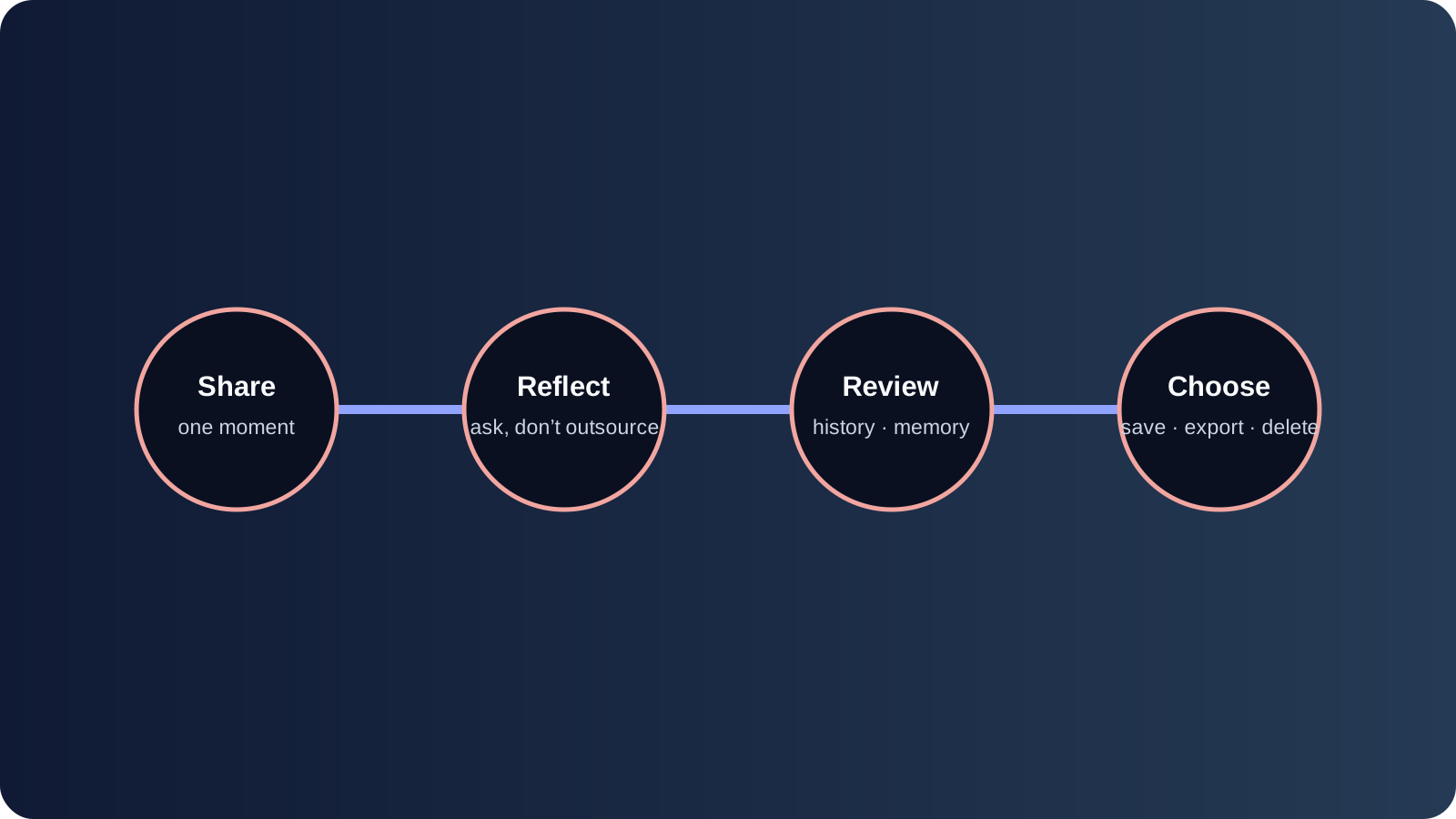
Use the same four-part structure each time: capture, context, question, and action. First write what happened in your own words. Then add the relevant context, such as what you expected or what changed. Ask ChatGPT one narrow question. End by saving the original entry and your chosen next step outside the chat if it matters.
- Capture: write the concrete event, not a polished lesson.
- Context: name the constraint, feeling, or decision that shaped it.
- Question: ask for a reflection or a single follow-up, not a diagnosis.
- Action: choose one small next move and record it independently.
Try the workflow for seven entries before deciding whether it helps. The daily reflection guide has prompts you can adapt without turning every day into an evaluation.
Memory, history, and model-improvement settings are different
Chat history is the conversation record shown in your account. Saved memory, when available and enabled, is a separate mechanism that can influence future responses. Data controls determine whether conversations are used for model improvement under the applicable product settings. These should not be treated as one switch called “privacy.”
Read the current OpenAI help and privacy pages from your account settings. Ask three questions: what is retained, what can be reviewed or deleted, and which settings apply to the plan or workspace you use. The official OpenAI privacy explanation is a useful starting point, but it does not replace checking your live controls.
Reduce sensitive data before you start
Journal with placeholders for names, addresses, employers, account numbers, and identifying medical details. Describe the situation at the level needed for reflection, not at the level needed to identify another person. If the exact detail is essential, consider writing that part in a local or dedicated journal instead.
Turn off features you do not need, use temporary conversations where appropriate, and delete chats or memories according to the current controls. Keep in mind that deleting a visible conversation and removing a derived memory may be separate actions. Never assume that a “delete” button means every copy disappears immediately; read the provider’s explanation.
Where ChatGPT falls short as a long-term journal
ChatGPT is not designed primarily as a chronological journal archive. Finding a specific entry months later, comparing themes across a year, exporting a complete personal record, or distinguishing your original words from generated summaries may require extra work. A chat can also encourage a reaction loop: you ask for interpretation, receive a fluent answer, and mistake fluency for truth.
For a long-running record, use a dedicated journal or a personal workspace with explicit memory and review controls. Gemora Memory is one example of a workflow built around connected context rather than isolated conversations. The point is not that one tool is universally safer; it is that the archive model should match your intent.
Keep reflection separate from clinical care
You can ask an AI to help name an emotion or prepare questions for a professional. Do not ask it to diagnose a condition, assess imminent risk, prescribe treatment, or replace a therapist. If you are in crisis or worried about immediate safety, contact local emergency services or a qualified crisis resource.
Use language that keeps the role clear: “help me organize what I want to discuss with my clinician” is appropriate; “tell me which disorder I have” is not. A journal should help you notice your experience, not hand over responsibility for your care.
When a dedicated journal is the better choice
Choose a dedicated journal when you need a stable archive, media capture, calendar review, offline access, explicit export, or a clear separation between your words and AI-generated analysis. Choose ChatGPT when the immediate value is flexible conversation and you are willing to manage the record yourself.
Whichever path you choose, create a monthly checkpoint. Review what you wrote, remove what you no longer want stored, and note one pattern without treating it as a diagnosis. The monthly life review template makes that checkpoint concrete.
There is also a difference between a prompt library and a journaling practice. A prompt can get you started, but a practice needs a capture location, a review rhythm, and a decision about what not to save. Keep a short header with each entry: date, topic, privacy level, and whether you want a follow-up. That header makes later export and deletion much easier.
If you share a conversation with another person, remove identifying details first. Even a harmless story can reveal someone’s workplace, health information, or relationship history when combined with a date and location. Write “a colleague” instead of a name, and generalize details that are not necessary for the question. This protects people who never consented to being part of your journal experiment.
For review, ask ChatGPT to quote or point back to the entry before it summarizes. If the response invents a detail, correct it in your own record rather than quietly accepting the polished version. You can also ask for two readings—one charitable and one skeptical—to make the interpretation visible. The goal is not to make the model sound wise; it is to make your own thinking easier to inspect.
Export a small sample after your first week. Open the exported file outside the chat and check whether dates, original text, attachments, and your corrections are actually present. Repeat after a month if the archive matters. A workflow that is easy to enter but difficult to leave is not a durable journal workflow.
You can make the review more reliable by keeping a small “journal contract” at the top of your prompt. State that you want your words quoted before interpretation, that uncertainty should remain visible, that the model should ask at most one question, and that it should not diagnose or invent context. Reusing the contract reduces the chance that a fluent answer quietly changes the purpose of the session.
Do not confuse a summary with a record. A summary can be useful for seeing a week at a glance, but it may omit the sentence that explains why the week felt difficult. Save the source entry first, then save a short summary beside it. If you later disagree with the summary, you can return to the words that produced it.
If you journal from a shared device, sign out when you finish and consider whether notifications expose sensitive topics. Review browser history, shared workspace permissions, and connected extensions. Technical privacy is part of journaling privacy; a careful prompt cannot protect a conversation that is visible to the wrong account.
For a long-term archive, choose a stable naming convention such as 2026-08-11 — work transition. Consistent dates make export, search, and later migration easier. You can still ask ChatGPT to make the prose conversational, but the surrounding structure should remain boring and dependable.
If you want to preserve the sequence of events rather than only the conversation, use the personal timeline worksheet alongside the chat. It gives dates, evidence, and uncertainty a home outside the model’s context window.
This workflow works best when you keep the AI’s role small. Let it ask, reflect, or organize. Keep decisions about what matters, what is true, and what you will do next with yourself and the people you trust.
One final check is to compare the conversation with your own body of evidence. If the model’s reflection feels persuasive but you cannot point to the entry that supports it, label the reflection as a hypothesis. If it helps, copy only the hypothesis into a separate note with the date and your response. Over time you will see whether the prompt is clarifying your experience or simply producing language that sounds complete.
The best ChatGPT journal is therefore a small system around the chat: a prompt contract, a low-sensitivity capture habit, a separate source record, a monthly deletion review, and a clear boundary around clinical care. That system can be simple enough to sustain and cautious enough to respect the privacy of everyone mentioned in your entries.
Use a stop rule as well. If a session becomes circular, emotionally escalating, or more revealing than you intended, save your own note, close the chat, and return later or talk with a trusted person. A journal workflow should make it easier to pause. It should never pressure you to disclose more because the model asks a fluent follow-up.
When you compare ChatGPT with a dedicated journal, compare the surrounding work, not just the writing box. Who owns the archive? How do you browse a year? What happens to a deleted memory? Can another person understand the source of a summary? Those questions explain why a flexible assistant can be useful and why it may still be the wrong permanent home for a life record.
Frequently asked questions
Can ChatGPT remember every journal entry? No. Continuity depends on the product’s current history and memory behavior, your settings, and the context available in a conversation. Keep an independent record for anything you need to preserve.
Should I paste my entire diary into one chat? Usually not. Start with a small, low-risk sample and understand the controls first. Segmenting entries also makes review and deletion easier.
Is a ChatGPT journal private? Privacy depends on the account, workspace, settings, retention, and the information you share. Read current official documentation and avoid assuming that a familiar chat interface is equivalent to a private notebook.
If the answer is uncertain, choose the lower-risk workflow: share less, save the original elsewhere, and revisit the decision after you understand the live settings.
The practical result is modest but useful: use the conversation to begin, use your own record to remember, and use a human relationship when the stakes exceed what an AI chat can safely hold.
That boundary is the reason to review settings before intimacy, not after it.
It keeps curiosity useful while leaving ownership of the record with you. That is the whole point. Exactly.
Continúa el hilo
Reflect in a workspace built for continuity
Conecte conversaciones, contexto útil, reflexiones, proyectos y tareas en un espacio de trabajo personal.
Empieza gratisPreguntas frecuentes
Can ChatGPT replace a traditional journal?
It can support conversational reflection, but it is not automatically a private archive or a complete journal system. Decide what you want to save, export, revisit, and delete.
Does ChatGPT remember everything I write in a journal chat?
Memory, chat history, temporary chats, and product settings are different layers. Check the current OpenAI controls and do not assume that deleting one layer removes another.
Is it safe to share private journal entries with ChatGPT?
Treat journal writing as sensitive data. Minimize identifying details, review current provider controls, and use a product whose retention, export, and deletion behavior you understand.

